Guide 4 of 8
Share your best moments
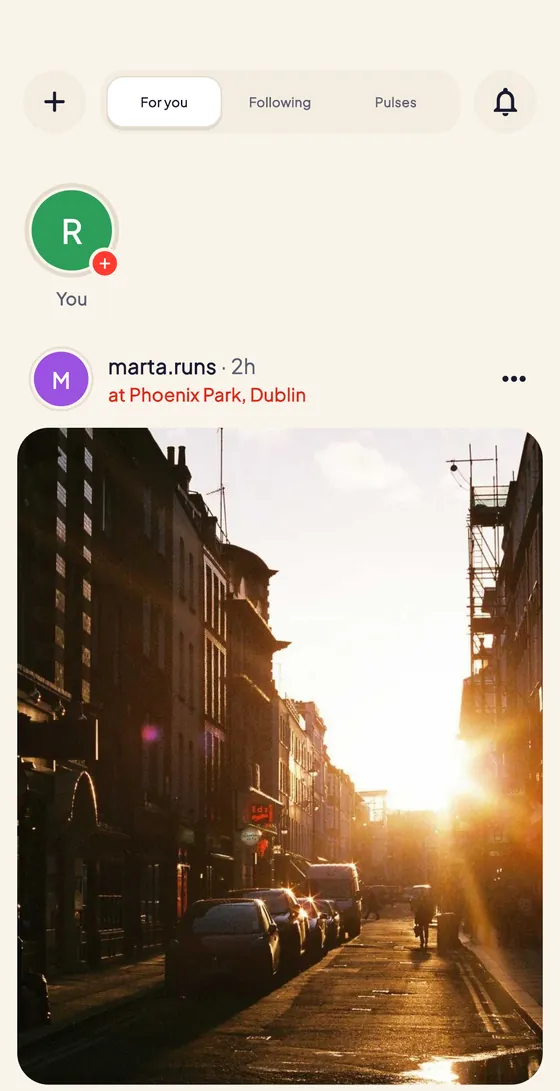
There are three ways to share on Pinfolk: posts, with photos and videos that stay on your profile; stories, which disappear after 24 hours; and Pulses, short vertical videos. Tag the plan you were at and your photos also land in that date’s gallery; add a location and they can appear on the World map.
Open Create
Tap the + at the top of the Feed and choose Post, Story or Pulse. The create screen opens with the three modes at the bottom (post, story and Pulse); swipe to switch between them.
Pick your photos and videos
In post mode, pick up to 10 photos or videos from Recents or use the Camera, and tap Next. Edit them with text, stickers, filters and adjustments, and tap Next again.
Add the details and publish
Write a caption (use @ to mention people) and add the extras: Plan puts your photos in that session’s gallery, Tag people tags your friends and Add location says where it was. Then tap Publish.
Choose how it shows on World
With a location, choose how your post appears on the World map: Exact pins it on the spot, Approximate shows it within about 300 m and Don’t show keeps it off the map. To browse World, open the Map tab, switch to World and pick Posts.
Share a story or a Pulse
In story mode, tap for a photo or hold for a video, decorate it and tap Share to story: it’s gone after 24 hours. In Pulse mode, hold to record a short vertical video of up to 3 minutes and publish it; Pulses play in the Pulses tab of the Feed.
Add to a plan’s gallery
Went to a plan? Open it and, under Photos, tap Add to put your shots in that date’s album. Only people who checked in can add photos, and in Gallery the host chooses between Anyone who came and I approve first.
Tips
- Stories last 24 hours, and on your own story you can see who watched it.
- Videos in posts and stories can be up to 60 seconds long; Pulses, up to 3 minutes.
- Named places are pinned exactly on World by default; addresses and areas are approximate. Private accounts never appear on World.
- Changed your mind? Use Show on World in a post’s menu.
- If a host removes your photo from a gallery, it stays on your profile.
Try it in the app
Pinfolk is made for your phone: the map, the camera and your plans are at their best in the app.
Still stuck?
Write to hello@pinfolkapp.com and a person from the team will get back to you, or visit Help & support.