Guide 3 of 8
Meet new people
Every public plan on Pinfolk is open to anyone nearby. The Map tab shows what’s on around you; when you join, you get the exact meeting point and the plan’s chat. Afterwards, follow the people you got on with so you don’t lose touch.
Open the map
Go to the Map tab and make sure Plans is selected at the top: Public plans anyone can join. The panel at the bottom shows what’s on This week near you (or Today near you). Swipe the cards, or drag the panel up to see them as a list.
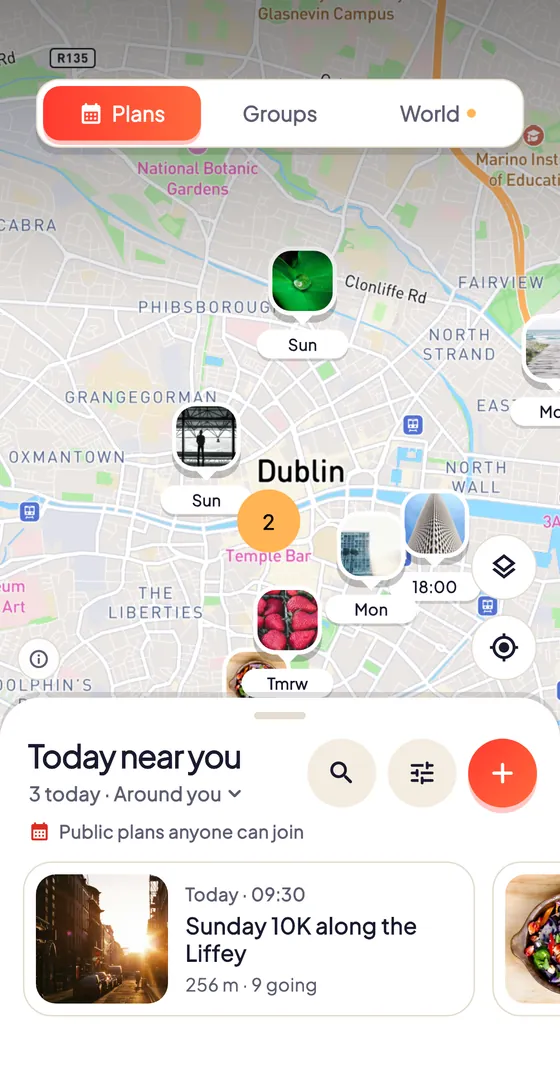
Filter by what you like
Tap Filters to choose when (Today, This weekend, Any day…) and what: sports, outdoors, food and drink, music and more. To look somewhere else, tap the panel’s title and choose Change area.
Open a plan and join
Tap a plan to see who’s hosting, who’s going and what to expect. Tap Join; if the plan has several dates, pick one first. In the sheet that opens, choose who’s coming with you (or Just me) and confirm. If it’s full, tap Join waitlist instead.
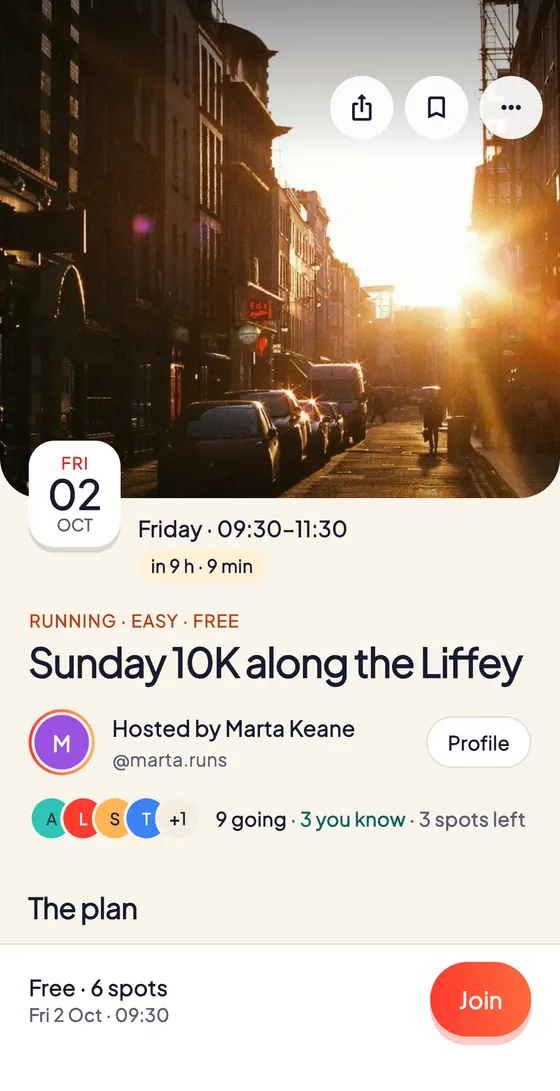
Say hi before you go
Once you’re in (You’re going), you’ll see the exact meeting point and the plan’s chat. Tap Say hi in the chat to introduce yourself and Add to calendar so you don’t forget. If something comes up, Can't make it? under the button lets you leave.
Follow the people you meet
Open someone’s profile and tap Follow, or Request to follow if their account is private. To find more people, go to your Profile and tap Find people: you’ll see people you’ve met and people with the same interests near you.
Tips
- Only public plans appear on the map; invite-only plans stay private.
- If a date is full, the waitlist moves you in automatically when a spot opens, and you’ll get a notification.
- The Search tab finds people, plans, groups and more by name.
- To write to someone, tap Message on their profile. Sometimes they’ll need to accept a chat request first.
Try it in the app
Pinfolk is made for your phone: the map, the camera and your plans are at their best in the app.
Still stuck?
Write to hello@pinfolkapp.com and a person from the team will get back to you, or visit Help & support.